.png?fit=max&auto=format&n=fTXEPIUfjW4rC1Pi&q=85&s=85d7b852879d29ad2bde9b743307ab0e)
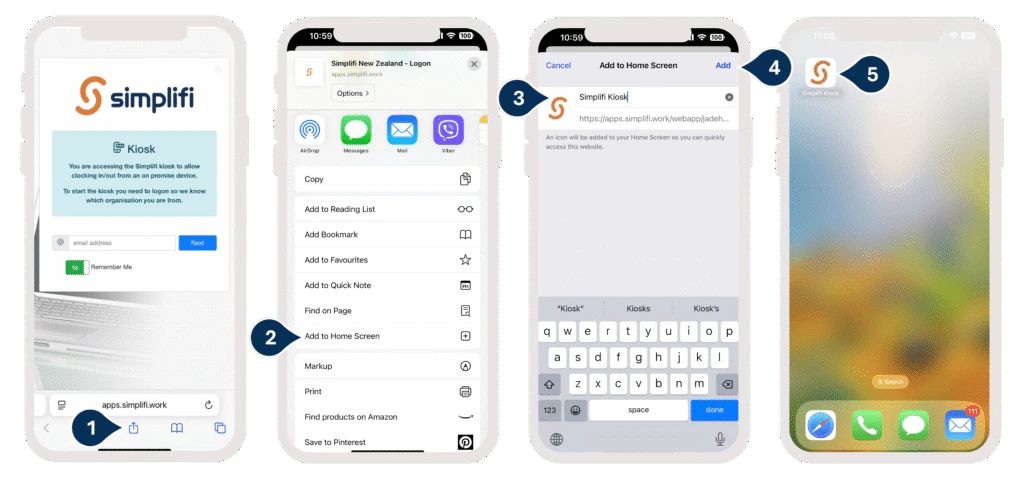
Using the Simplifi KIOSK on Apple Devices The Simplifi KIOSK is currently only available on the Google Play Store. However, the following workaround allows Apple device users to access it: Open Safari and go to:Documentation Index
Fetch the complete documentation index at: https://docs.simplifi.work/llms.txt
Use this file to discover all available pages before exploring further.
https://apps.simplifi.work/?kiosk
- Tap the Share icon (the square with an arrow pointing up).
- Select Add to Home Screen.
- Enter the name: Simplifi KIOSK.
- Tap Add or Done.
- You’ll now see a shortcut to the KIOSK on your Home Screen, and it will function much like an app.