
.png?fit=max&auto=format&n=fTXEPIUfjW4rC1Pi&q=85&s=85d7b852879d29ad2bde9b743307ab0e)
Example: This employee works Wednesdays from 8:00 am to 5:30 pm, but starting from the 1st of October 2023, will be working from 9:00 am to 6:30 pm.Documentation Index
Fetch the complete documentation index at: https://docs.simplifi.work/llms.txt
Use this file to discover all available pages before exploring further.
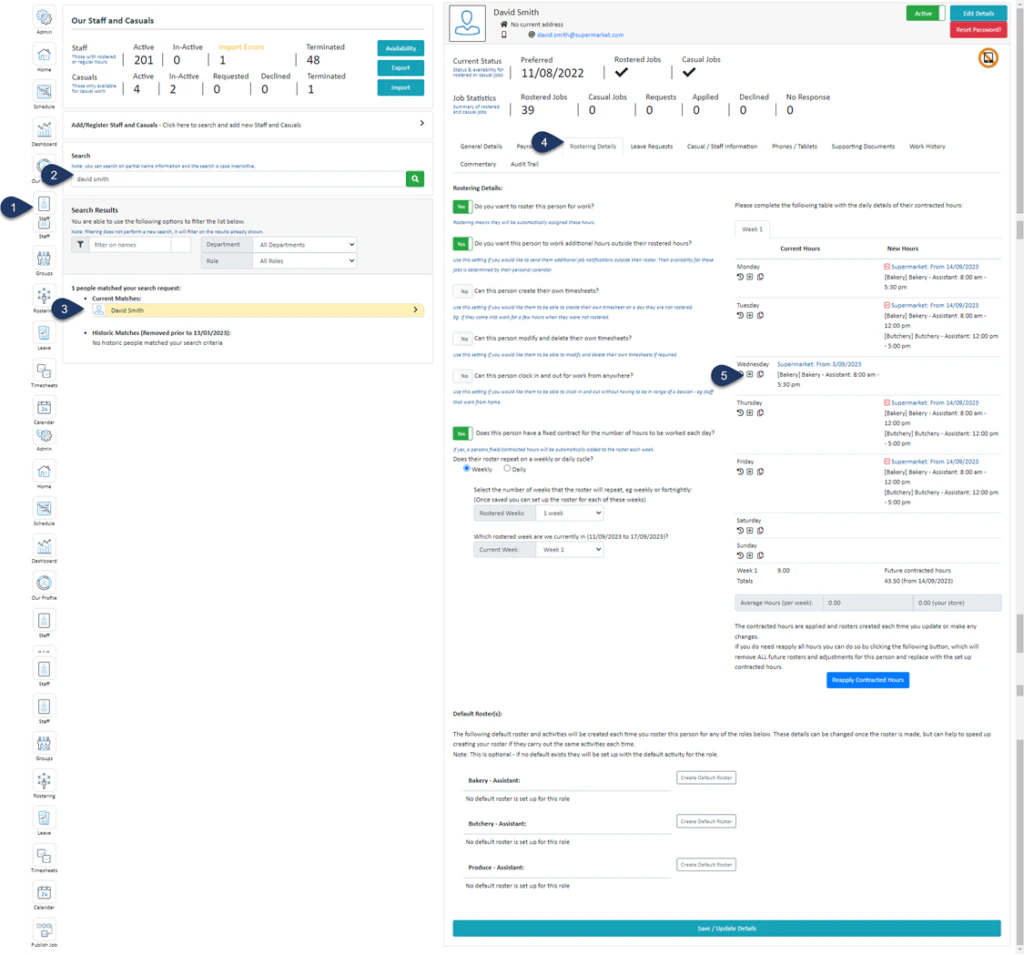
- Select Staff
- Search for the employee
- Select the Employee
- Select Rostering Details
- Click the + button next to the day you wish to remove hours from
.png?fit=max&auto=format&n=RmEyLh9R-b4aEcE-&q=85&s=71adf4d636ea8d4c5c8de317b5c30d49)
- Select the date you wish to remove these hours from
- Make the changes to the contracted hours
- Switch the toggle to YES to remove any previously created timesheets for this staff member and update any generated rosters
- Select Save Details
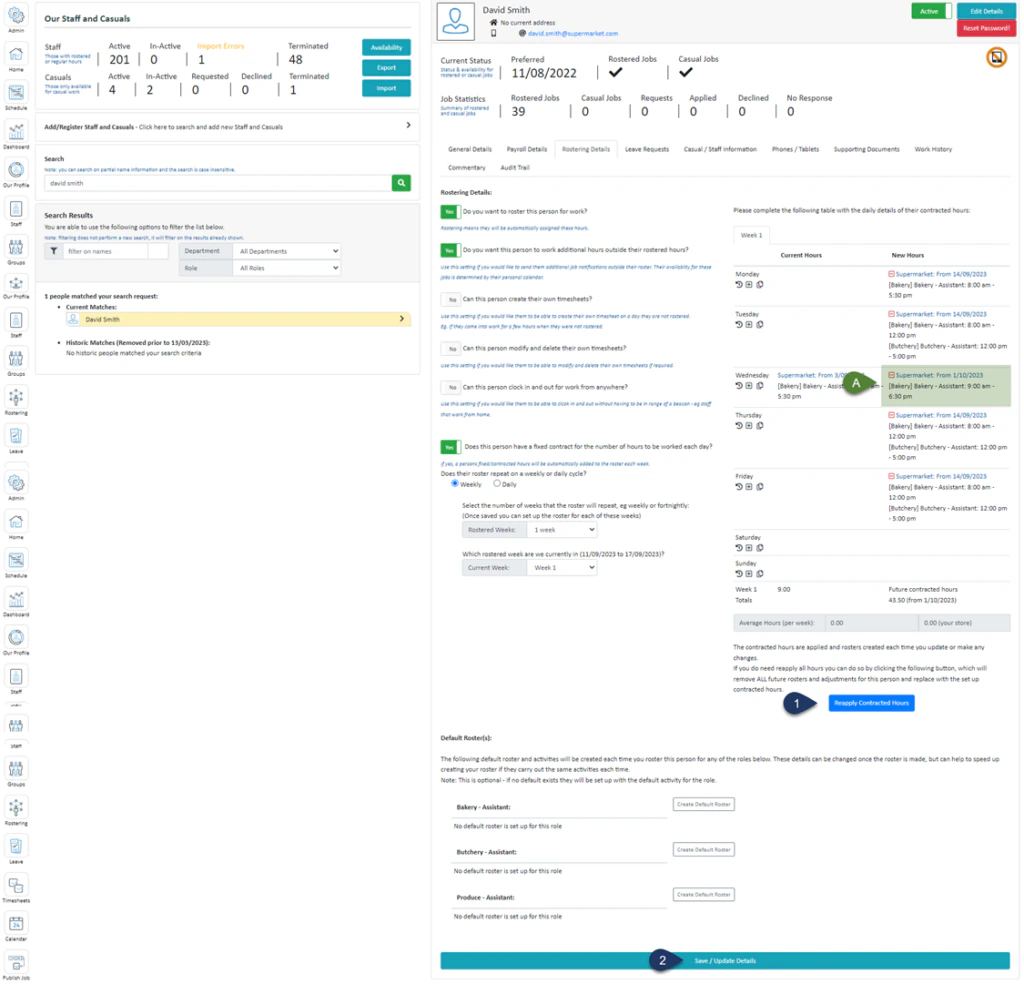
- Select Reapply Contracted Hours
- Select Save / Update Details