
.png?fit=max&auto=format&n=fTXEPIUfjW4rC1Pi&q=85&s=85d7b852879d29ad2bde9b743307ab0e)
Documentation Index
Fetch the complete documentation index at: https://docs.simplifi.work/llms.txt
Use this file to discover all available pages before exploring further.
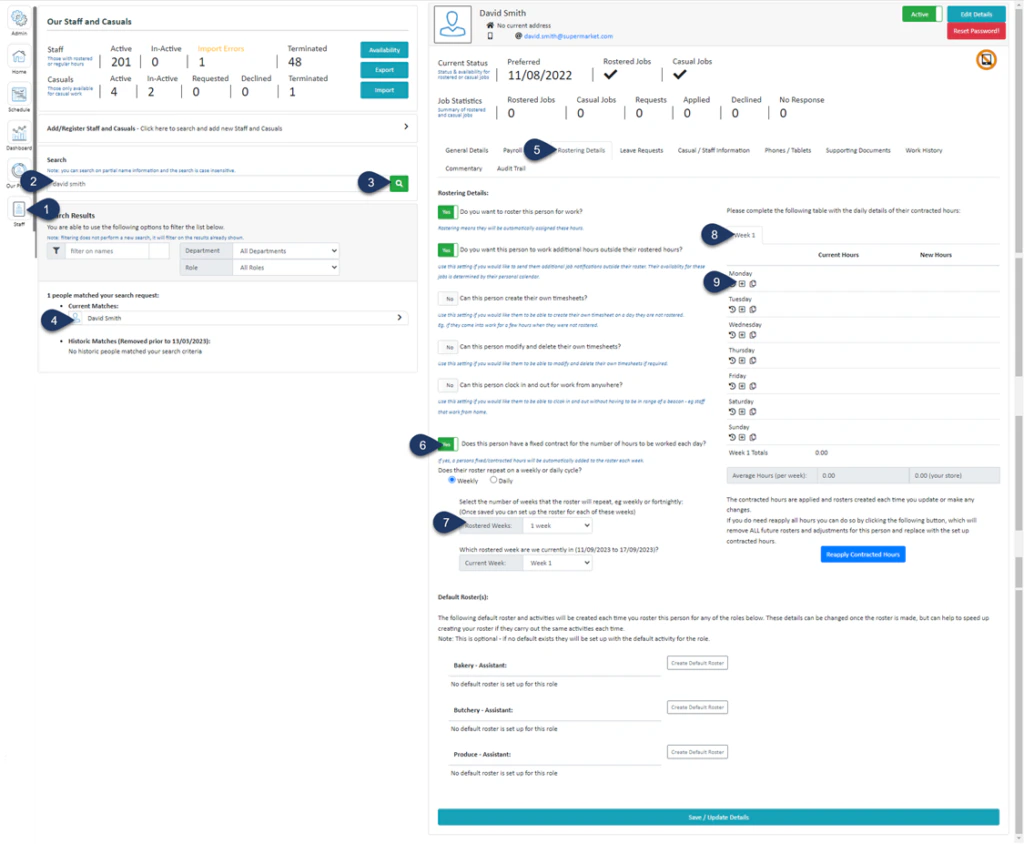
- Click Staff (If you cannot see the ‘Staff’ button, then you will need to ask your store administrator to grant you access)
- Type in the name or partial name of the employee
- Click Search
- Select the Employee
- Select Rostering Details
- “Does this person have a fixed contract for the number of hours to be worked each day?”
Switch the toggle to ‘YES‘ - Select the number of weeks pattern for this roster (most of the employees tend to have a 1-week pattern)
- If you have selected more than 1 week pattern then you can choose which week you are going to build the roster for
- Under the day of the week you wish to add a Standard Contracted Hour for, click the + icon
(A pop-up window will appear)
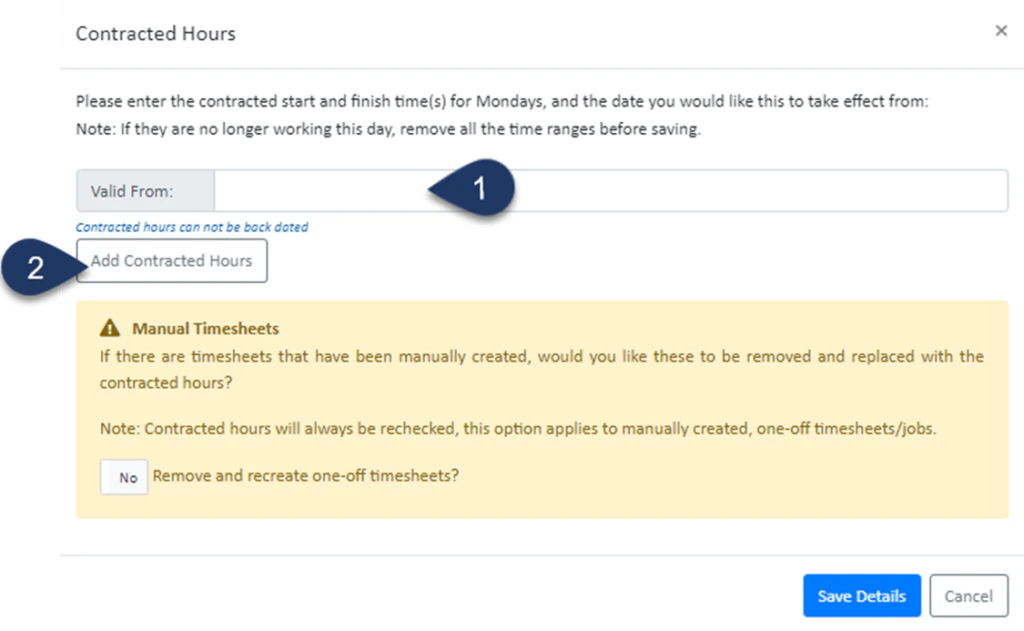
- Select the Date in which this is valid from
- Click Add Contracted Hours
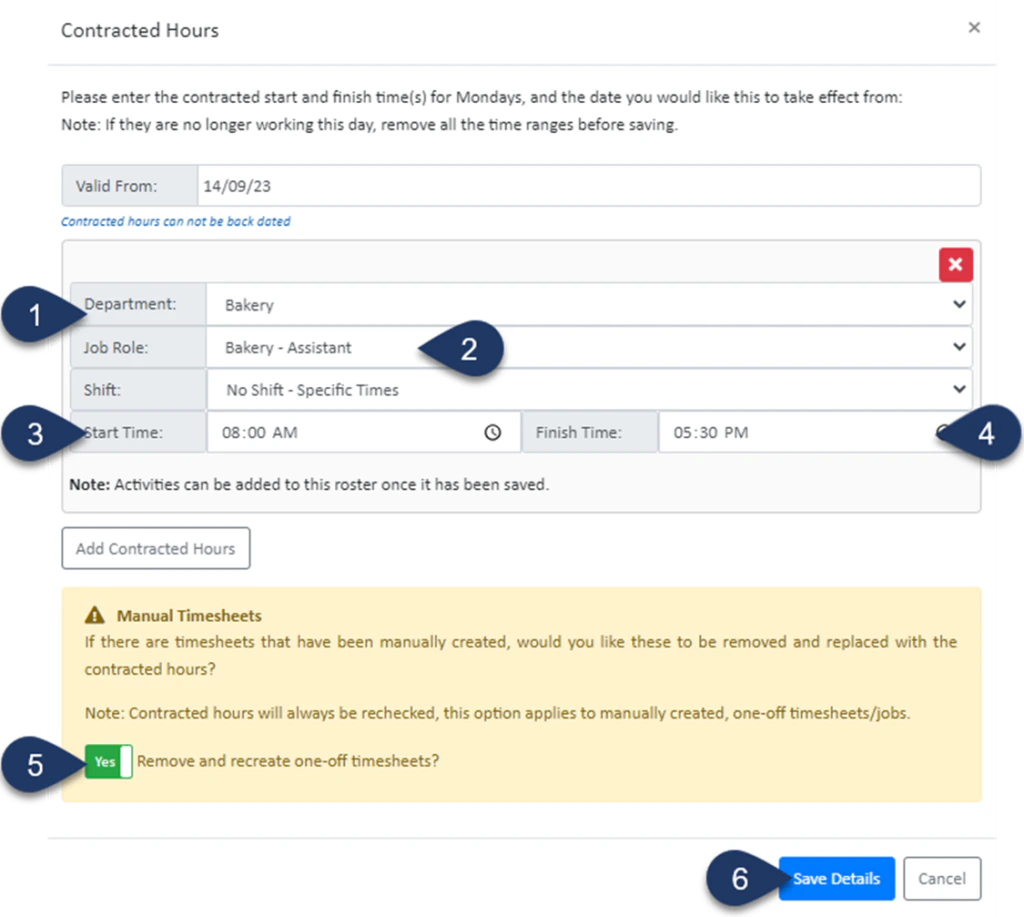
- Select the Department
- Select the Job Role
- Enter the Start time
- Enter the End time
- Switch the toggle to ‘YES‘ to remove any previously created timesheets for this staff member and update any generated rosters
- Select Save Details
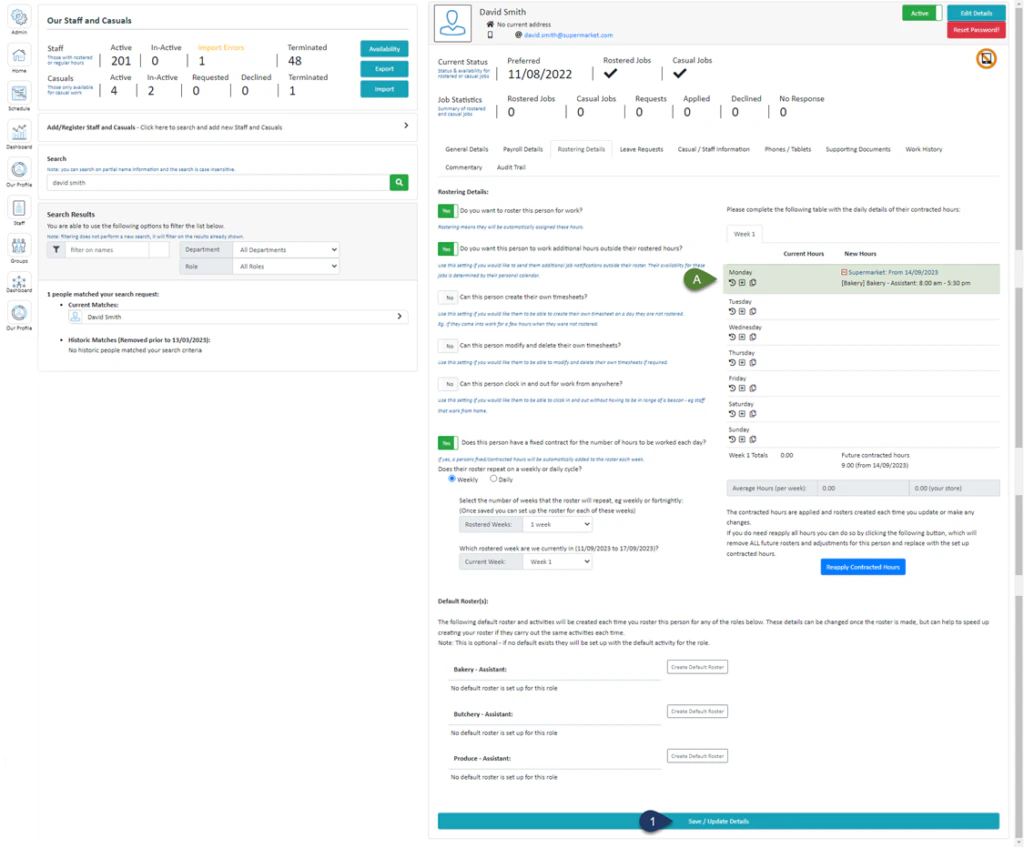
- Click Save / Update Details